What Makes Kasbu Different From Other Link in Bio Tools
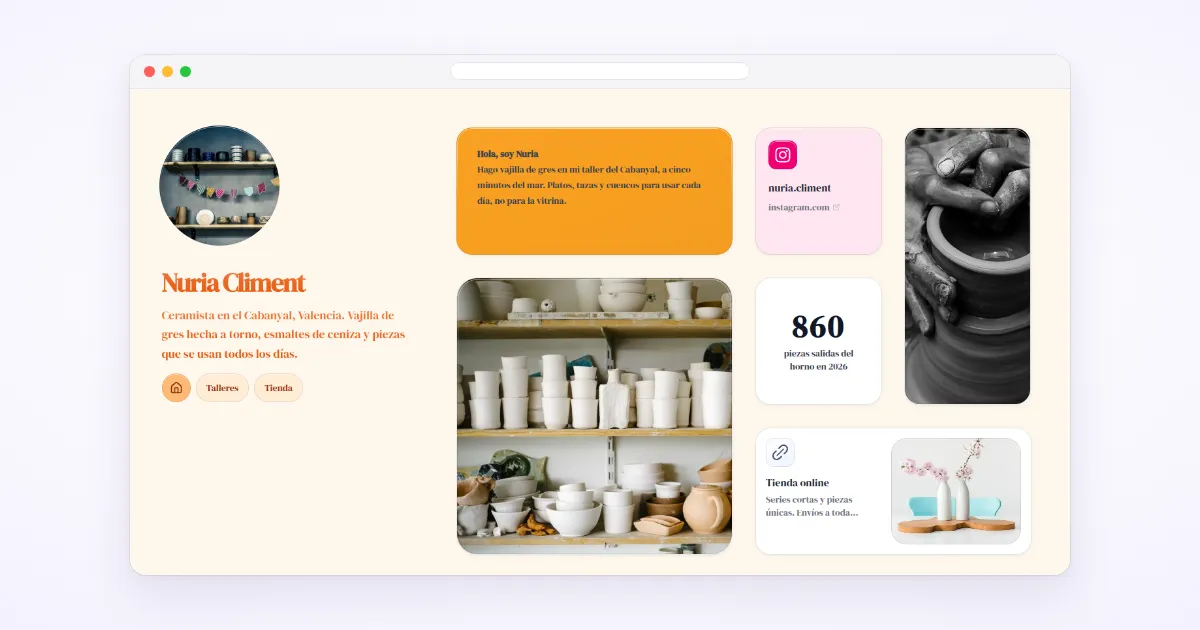
Most link in bio tools are a vertical list with a theme picker. Kasbu is a grid of resizable cards: 8 columns on desktop, 4 on mobile, 36 card types, and every font and background free. Here is what that means in practice, and where Kasbu is not the right pick.
Published · 8 min read · by Kasbu Team
Tags: Kasbu, Link in Bio, Creator Tools, Bento Alternative
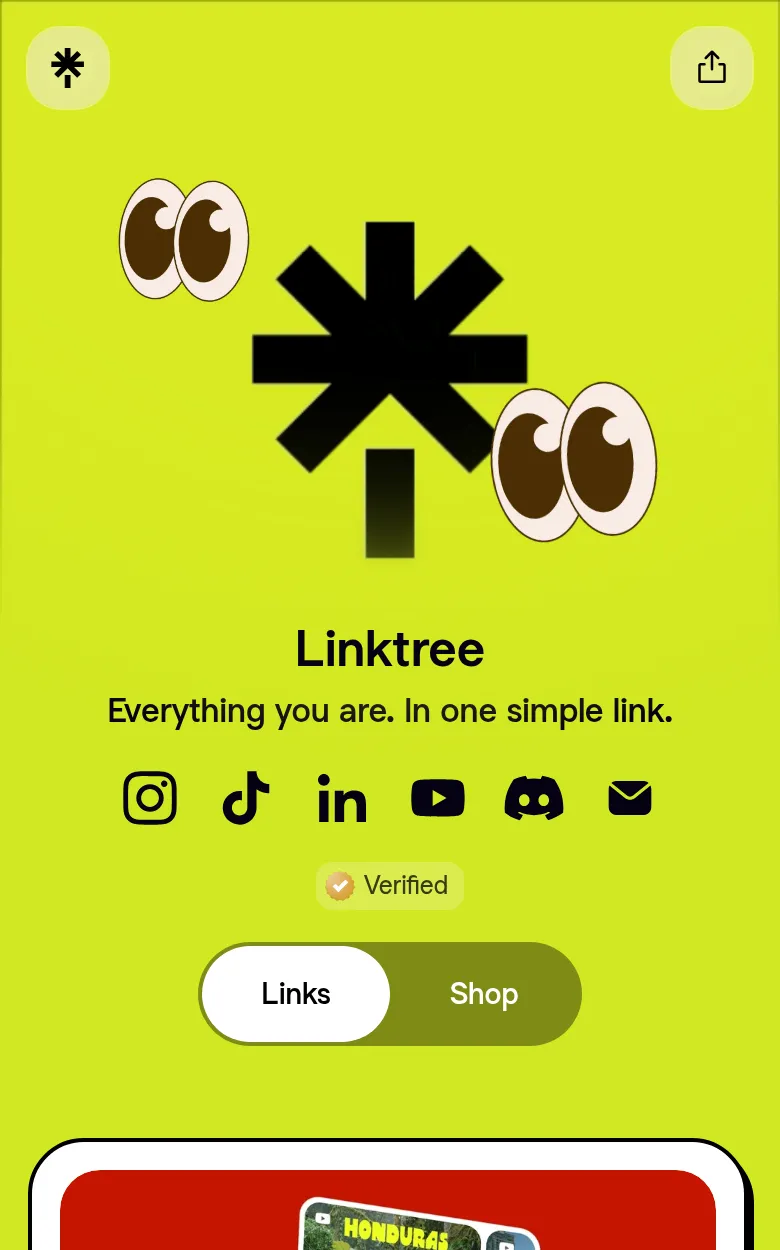
Most link in bio pages share one structure: a profile photo at the top, a stack of buttons below it, and a theme picker to change the colors. Linktree, the best known of them, is built on that list.
Kasbu starts from a grid. This post walks through what that changes, with the exact numbers from the product as of October 2026, and ends with the cases where a list tool will serve you better.
1. A grid you arrange, not a list you reorder
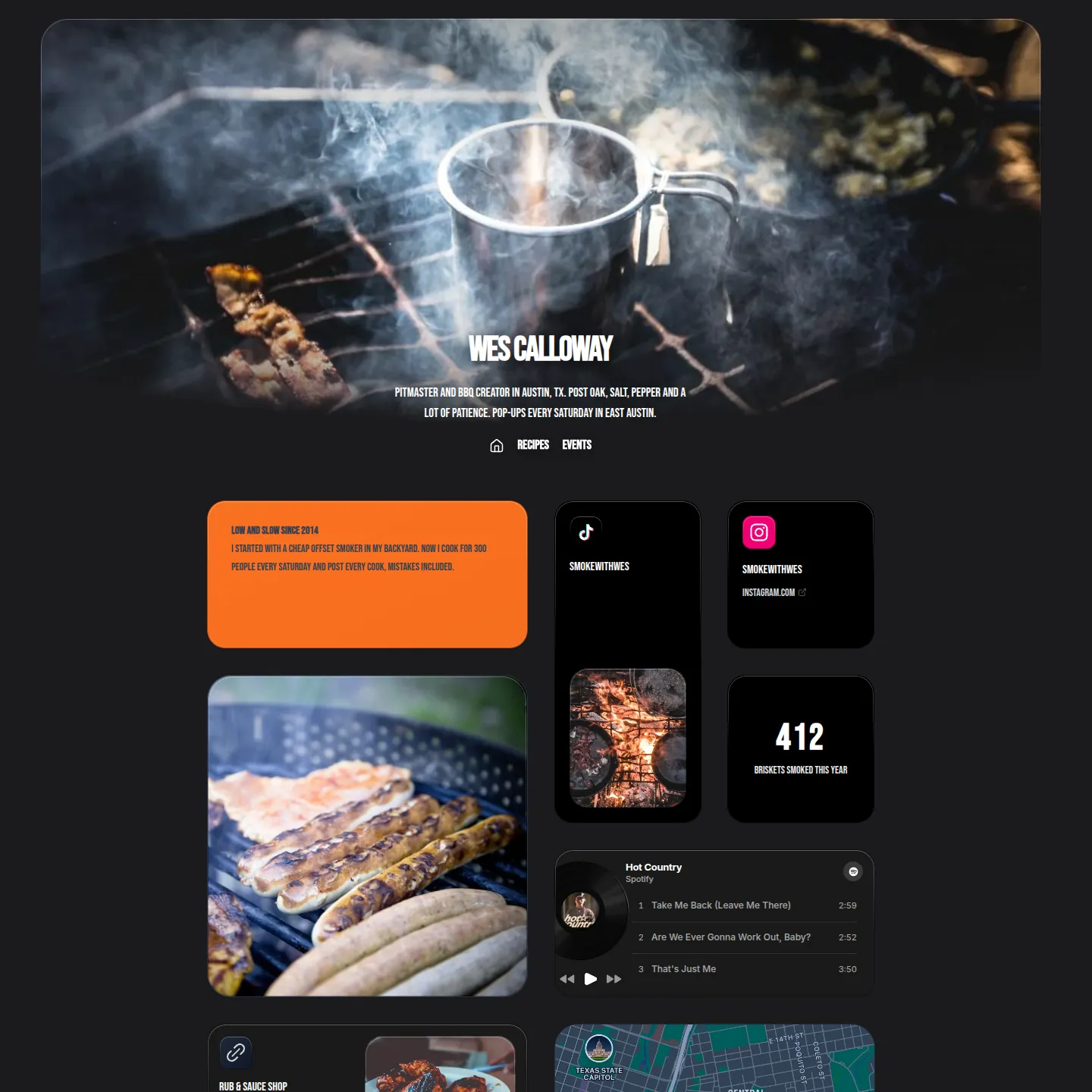
A Kasbu page is a grid of cards. On desktop it is 8 columns wide; on mobile, 4. Each card has a position and a size, and you set both by dragging: a photo can take half the screen, a social icon a single cell, a booking widget a full row.
With a list, the only decision is order. With a grid, you also decide what is big and what sits next to what. A photographer can open with three large photos and keep the contact links small. A café can put the map and the opening hours side by side at the top.
Kasbu is not the only grid tool. Bento.me made the format popular before it closed in February 2026, and own.page, Avely, tini.bio and taap.bio also use grids. Linktree lets you group links into collections that can display as a grid or a carousel, but the page around them is still a list. If you are comparing grid tools, our posts on own.page and tini.bio go through the plans line by line.
2. Separate layouts for desktop and mobile
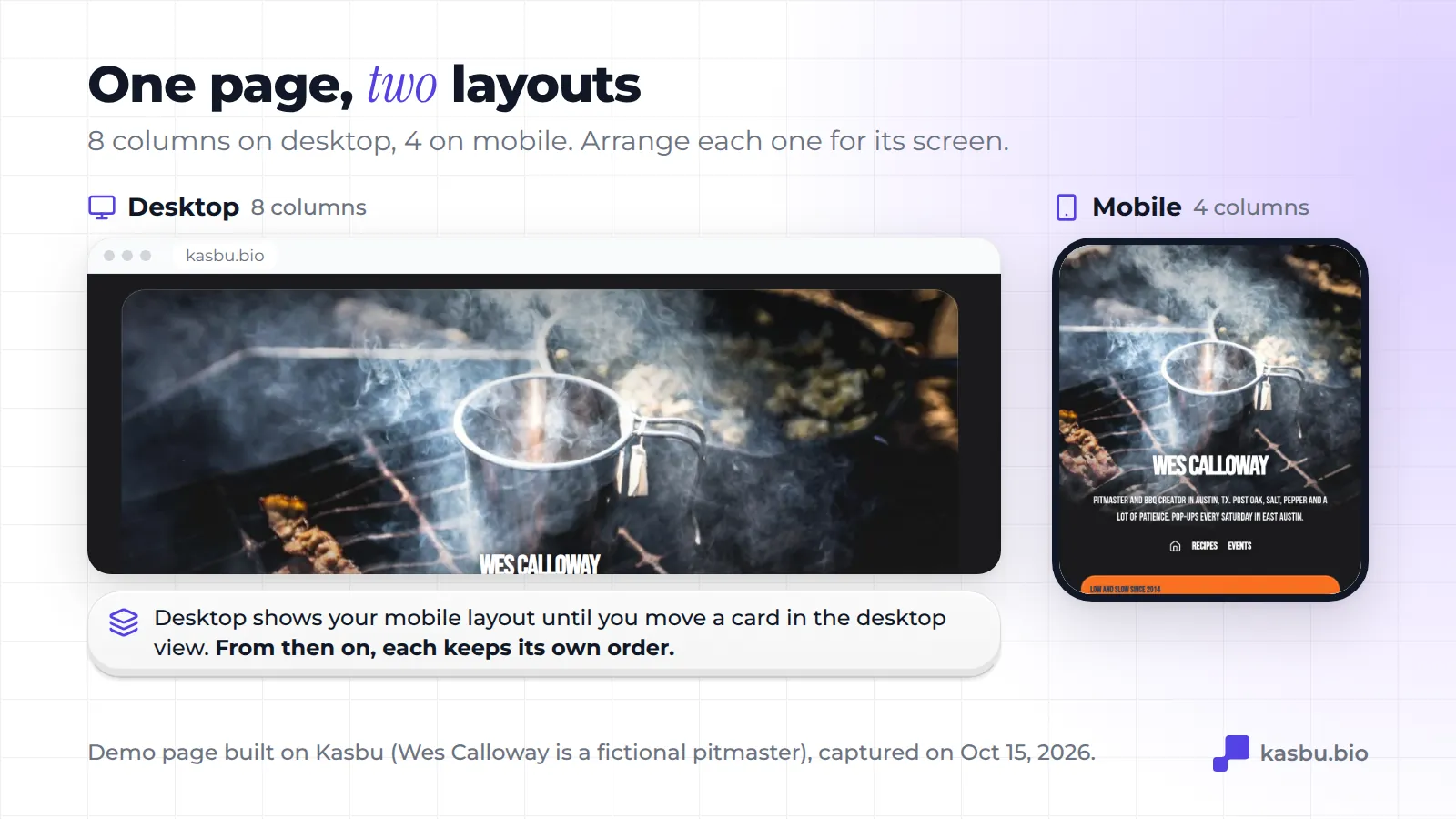
What works on a wide screen rarely works on a phone. Kasbu keeps two layouts for each page.
Your page starts mobile-first. Until you arrange the desktop view, people on a computer see your mobile layout. The first time you move a card in the desktop view, desktop gets its own 8-column layout, and from then on the two keep their own order. You can put the booking note first on mobile, where people tap, and lead with a big photo on desktop, where people browse.
3. Cards that run on the page
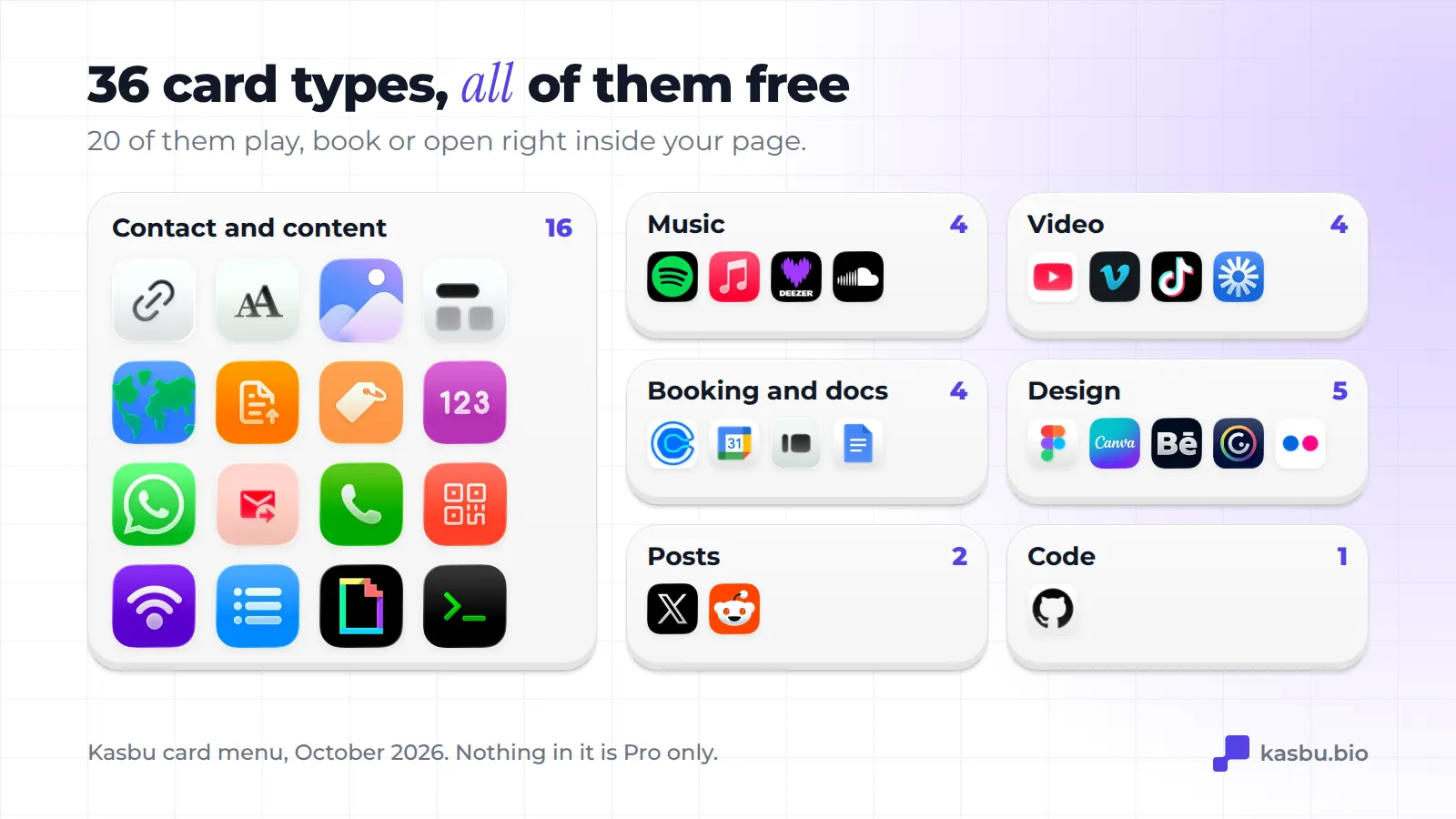
On most list tools, every button is the same object: a title and a URL. Kasbu has 36 card types, and 20 of them are embeds that work inside your page:
- Music: Spotify, Apple Music, Deezer and SoundCloud players.
- Video: YouTube, Vimeo, TikTok and Loom.
- Booking and documents: Calendly, Google Calendar, forms from Google Forms or Typeform, and Google Docs.
- Design: Figma, Canva, Behance, Genially and Flickr.
- Posts: a full X post or Reddit post.
- Code: your GitHub contribution graph.
The other 16 cover the everyday parts of a page: links, text, images, separators, a map, a file to download, a product, an animated number, WhatsApp, email, phone, a QR code, a WiFi card that shows the network name and password, an experience list for your CV, a Giphy GIF and an HTML card for anything else.
You don't need to know which card to pick. Paste a YouTube, Spotify or Calendly link and Kasbu suggests the matching card.
All 36 are in the free plan. Two details inside cards are Pro: sound on video cards, and dark or automatic map styles.
4. Drag and drop with weight
The grid is the editor, so dragging has to feel right. A few details that are easy to miss:
- While you drag, the card tilts up to about 13 degrees, depending on where you grabbed it and how fast you move. It reads as picking something up.
- The tilt follows your finger on touch screens too, not only the mouse.
- If a drag ever gets stuck (a browser glitch, an interrupted touch), the editor cancels it after 10 seconds instead of leaving the page half-moved.
5. All the design options are free
Since 13 October 2026, everything that changes how your page looks is free:
- 14 fonts, from Montserrat and Space Grotesk to Bebas Neue, Playfair, Pixelify Sans and Permanent Marker.
- 24 card colors plus a color wheel for any hex value, set per card.
- 6 card materials: Gradient, Fill, Frost, Glass, Transparent and Frame.
- Backgrounds: solid colors, gradients, static and animated patterns, and your own photo.
Before that date, fonts, several backgrounds and some materials were Pro. If you read an older review that says otherwise, it is out of date.
6. Several pages under one name
Each profile can have more than one page, each with its own address and layout:
kasbu.bio/yourname for your main page kasbu.bio/yourname/music for releases kasbu.bio/yourname/work for clients
The free plan includes 3 pages per profile and 2 profiles per account, for example one personal and one for a business. Pro removes the page limit and allows 10 profiles.
7. QR code and wallet pass, included
Every page comes with a QR code and a pass for Apple Wallet and Google Wallet, in the free plan. You download them from your settings: the QR is a 512 x 512 PNG with a white margin, ready to print on a business card, a shop window or a badge. The pass keeps the same QR in your phone's wallet, so you can show it without searching your photos.
The interface is available in 9 languages: English, Spanish, Portuguese, French, German, Italian, Finnish, Japanese and Chinese.
8. What the free plan includes, and what Pro adds
Free: 25 cards and 3 pages per profile, 2 profiles, 150 MB of uploads, all 36 card types, all fonts, colors and backgrounds, QR code and wallet passes. Visitors see a small follow button with the Kasbu logo. Analytics show total visits for any period and the full breakdown for today.
Pro, $4.99 a month or $54.99 a year: unlimited cards and pages, 10 profiles, 30 GB of uploads, your own domain, embedding your grid on your website, full analytics (every period, by day, with countries, cities and devices) and a follow button without the Kasbu logo. There is a 14-day trial if you haven't had one before.
For scale: in July 2026 the median Kasbu user had 4 cards, well under the free limit of 25.
9. Your page is yours to take with you
Bento.me showed what happens when a link in bio tool closes. Linktree announced it had acquired Bento in June 2023 and shut it down on 13 February 2026, and every bento.me address now redirects to Linktree's homepage.
You can't control what a company does, but you can keep a copy of your work. In Kasbu, Settings > Account > Download my data gives you a ZIP with your pages, your cards and every file you uploaded. With Pro, your page can live on your own domain, so the address you printed keeps working even if you move to another tool.
Where Kasbu is not the best pick
- You sell digital products from the page. Kasbu's product card links to your store; there is no checkout or email list built in. Beacons and taap.bio are built for selling.
- You want unlimited links for free. Kasbu Free stops at 25 cards per profile. Linktree's free plan doesn't cap basic links.
- You need detailed analytics without paying. Kasbu Free shows the full detail for today only. own.page Free, for example, shows 7 days.
- You want a plain list. If your page is five links and nothing else, a grid adds work you don't need.
Sources
Checked on 14 October 2026.
- Linktree collections (stack, grid, carousel and showcase layouts): https://linktr.ee/help/en/articles/5434163-organize-your-links-with-collections
- Linktree free plan ("unlimited links"): https://linktr.ee/s/pricing
- Bento's acquisition: Tech.eu, 6 June 2023: https://tech.eu/2023/06/06/sequoia-backed-bento-boxed-up-by-linktree
- bento.me redirect: our own request to bento.me on 14 October 2026 (HTTP 301 to linktr.ee).
- own.page free analytics: https://own.page/pricing
- Kasbu numbers: the product itself (card menu, plan limits, editor) as of October 2026. Median cards per user: Kasbu data, July 2026.
See it with your own content: create a free Kasbu page. 25 cards per profile, all 36 card types and every font and background, no credit card.