How to Migrate from Bento.me in 2026: Rebuild Your Grid Step by Step
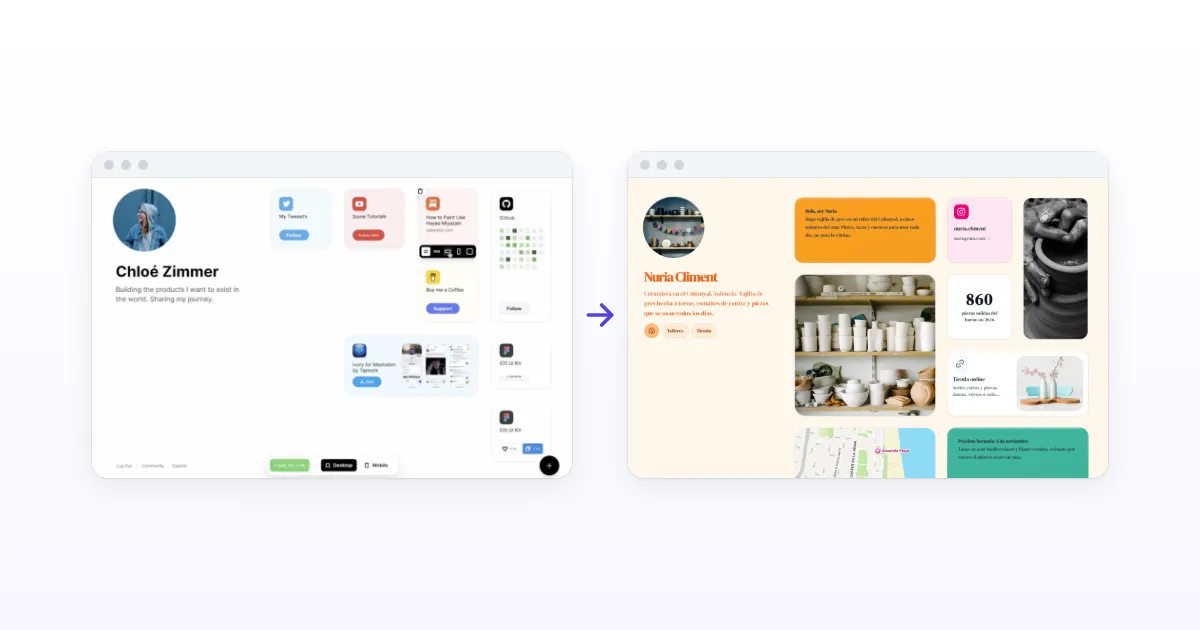
Bento.me shut down on Feb 13, 2026. How to rebuild your grid on Kasbu card by card, from your Linktree, your social bios or from nothing, with a table of every Bento widget and its Kasbu card.
Published · 8 min read · by Kasbu Team
Tags: Bento Alternative, Platform Migration, Link in Bio
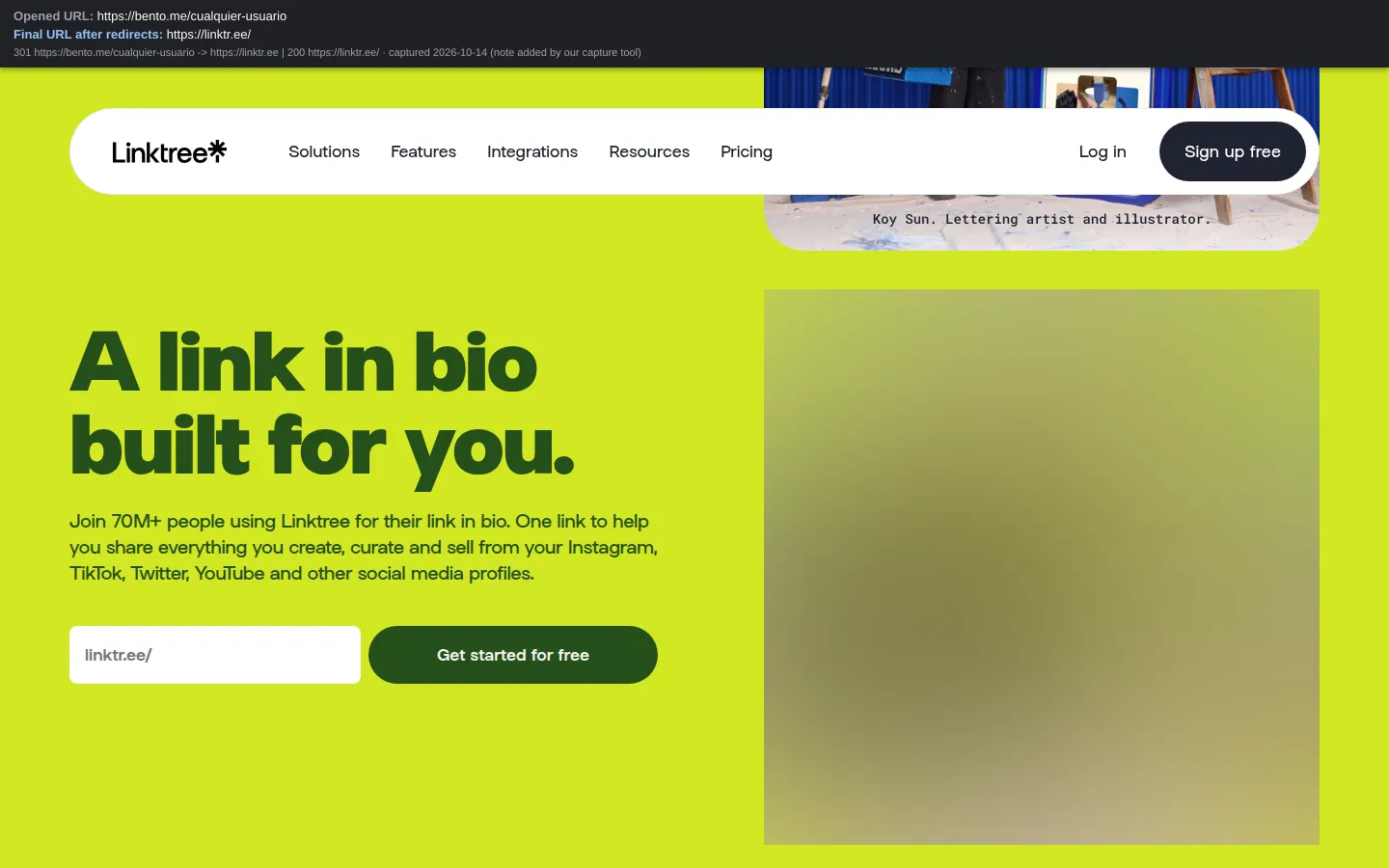
Bento.me shut down for good on February 13, 2026. Every page went offline, Bento said all user and profile data would be deleted, and every bento.me link now redirects to Linktree's homepage with a permanent (301) redirect. We checked on October 14, 2026: bento.me/yourname doesn't open your profile anywhere, not even your Linktree.
This guide shows how to rebuild a Bento-style grid on Kasbu, card by card, starting from your Linktree, your social profiles or from nothing at all. Kasbu wrote it. Every step uses features available today on the free plan, unless it says Pro.
What happened, in four dates
- June 5 and 6, 2023: Bento announces it has been acquired by Linktree (Bento on X, Tech.eu).
- December 14, 2023: Linktree buys Koji, another link-in-bio, and shuts it down on January 31, 2024 (TechCrunch).
- December 18, 2025: Bento announces it will shut down on February 13, 2026, 57 days later (Eike Drescher, Bento team, on X).
- February 13, 2026: end of service. Bento's notice said user and profile data would be deleted and pages would redirect to Linktree (Roboin).
The full timeline and a comparison of 10 alternatives are in our guide to Bento alternatives.
What's left of your Bento page
| What | Status on October 14, 2026 |
|---|---|
| Your bento.me page | Gone. Every bento.me URL redirects to linktr.ee |
| Your Bento analytics | No evidence they moved to Linktree |
| The links on your page | They still exist: Bento only pointed to them |
| Snapshots of your public page | Maybe, in the Internet Archive |
Your page is gone, but what it pointed to is not. That's what you rebuild from.
Pick your starting point
| Your situation | Go to |
|---|---|
| I followed the migration email to Linktree | Start from your Linktree, own.page or Avely |
| I moved to own.page or Avely instead | Start from your Linktree, own.page or Avely |
| I saved nothing | Start from nothing |
Start from your Linktree, own.page or Avely
Bento announced an email with migration instructions and a "special Linktree Pro offer" (AlternativeTo). The offer's terms were never published, and we found no evidence that Linktree copied Bento pages over automatically. If you rebuilt your page there, your Linktree is now a complete list of your links, which makes it a good starting point:
- Create your free Kasbu account at kasbu.bio/register and claim your username.
- Copy your links over. Open your Linktree (
linktr.ee/yourname), own.page or Avely in another tab and paste each link into Kasbu's card menu. Kasbu recognizes YouTube, Spotify, GitHub, Calendly and more and suggests the matching card. For anything else, a link card loads the preview, title and icon on its own. - Mind the card count. The free plan holds 25 cards and 3 pages per profile. If your Linktree has more links, spread them across pages (links, work, music) or keep the ones people actually tap.
- Turn the important links into richer cards: your Spotify link into a playable Spotify card, your YouTube link into a video card, your GitHub into a contribution graph.
- Arrange the grid on desktop, then on mobile.
- Keep the Linktree until every bio points to Kasbu, then delete it.
Start from nothing
Bento only stored links to your content. The things they pointed to, your Spotify, YouTube, GitHub and social profiles, still exist. Rebuild from:
- Your social bios, which usually list the same links your Bento page did.
- Screenshots in your camera roll or old Stories.
- The Internet Archive: search
bento.me/yournameat web.archive.org. Some public pages were captured, but not all, and images don't always load.
Then follow the steps in the next section.
Rebuild your grid, card by card
- Create your free account at kasbu.bio/register and try to claim the same username you had on Bento:
bento.me/yournamebecomeskasbu.bio/yournameif it's free. Each account can have 2 profiles on the free plan. - Start with the big tiles. Add an image card and upload your photos. Two or more images in one card become a carousel. The free plan includes 150 MB of uploads.
- Paste each link into a link card. Kasbu fetches the title, preview image and icon automatically.
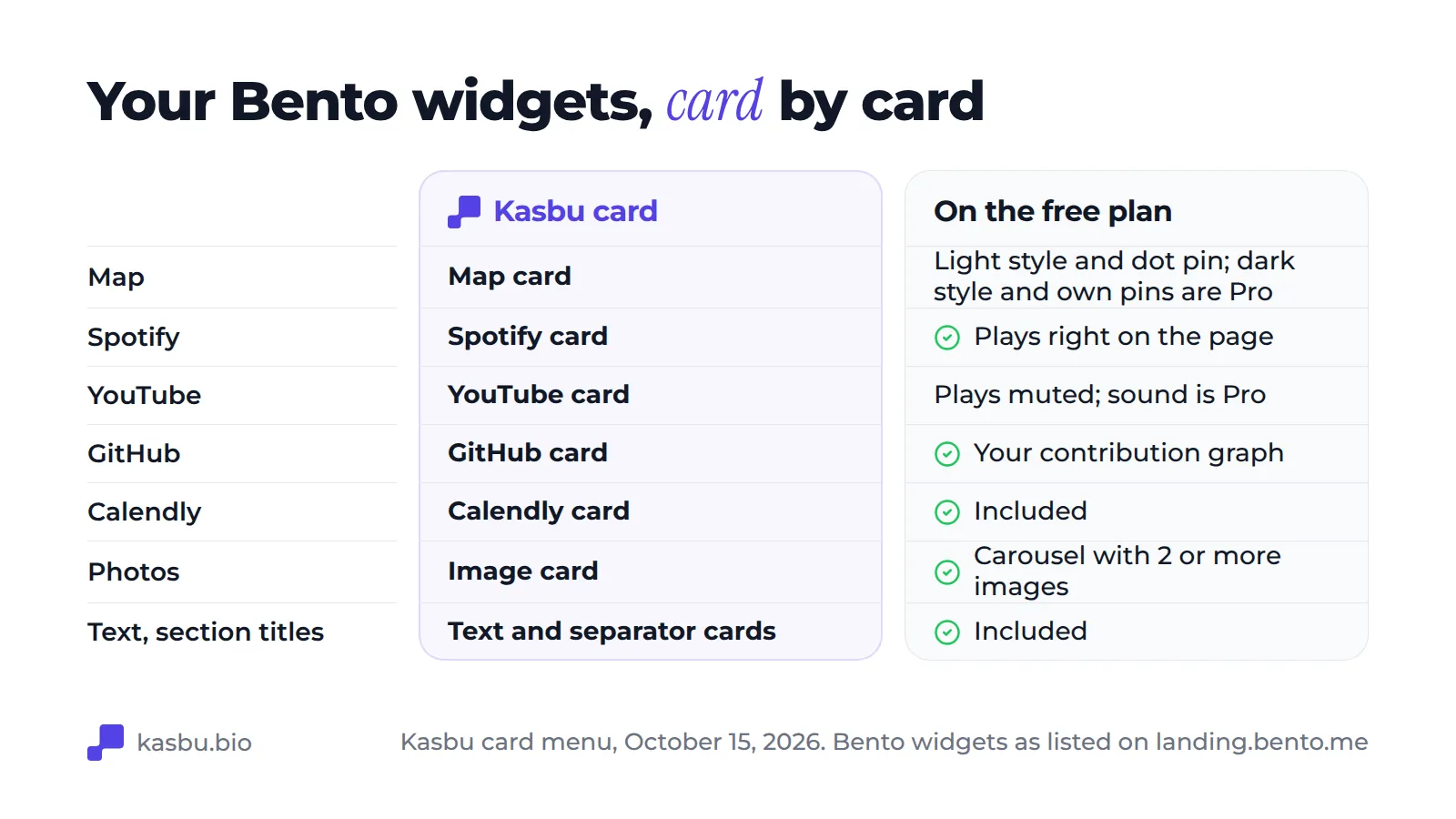
- Recreate your widgets with the matching cards from the table below: Spotify, YouTube, GitHub, map, Calendly.
- Use a separator card for section titles and a text card for notes.
- Switch to the mobile view and arrange it separately. Kasbu keeps independent layouts for desktop (8 columns) and mobile (4 columns), so the phone version doesn't have to be a squeezed copy.
- Replace your bento.me link everywhere (checklist below).
Every Bento widget and the Kasbu card that replaces it
Bento's own list of widgets (landing.bento.me) included Spotify, Twitter, YouTube, Dribbble, Substack, GitHub, Gumroad, Medium, Calendly, Maps, Figma, Instagram, Product Hunt, Discord, Buy Me a Coffee, Patreon, Behance, Pinterest, Reddit, Twitch, Dev.to, Mastodon, Webflow, App Store and text. Here's where each one goes:
| On Bento you had | On Kasbu you use | Notes |
|---|---|---|
| The resizable grid | A drag-and-drop grid, 8 columns on desktop and 4 on mobile | Resize any card; desktop and mobile layouts are edited separately |
| Map | Map card | Free uses the light map style with a dot pin; dark and auto styles and custom pins are Pro. There's no plane animation like Bento's |
| Spotify | Spotify card, playable on the page | Apple Music, Deezer and SoundCloud cards too |
| GitHub | GitHub card with your contribution graph | |
| YouTube | YouTube card | Plays inside the card without sound on Free; sound is Pro. Vimeo, TikTok video and Loom cards too |
| Twitter / X | X post embed card | Reddit post embed too |
| Calendly | Calendly card | Google Calendar card too |
| Figma, Behance | Figma and Behance embed cards | Canva and Genially embeds too |
| Instagram, Dribbble, Substack, Medium, Pinterest, Twitch, Discord, Webflow, Reddit | Link card with the platform's icon | Paste the URL; the card styles itself |
| Product Hunt, Gumroad, Patreon, Buy Me a Coffee, Mastodon, Dev.to, App Store | Link card with automatic preview | Any URL works |
| Text | Text card | |
| Section titles | Separator card | |
| Photos | Image card | Carousel with 2 or more images |
On Hacker News in 2024, a Bento user listed three gaps: "Grid ratios are limited. Analytics could be better. There is not background customization." (AliMammadli, Aug 3, 2024). On Kasbu, you can resize any card on the 8-column grid; Free shows total visits and today's full breakdown (devices, countries, browsers) and Pro adds 7, 30 and 90-day history; and since October 13, 2026, page colors, 30 animated background effects, background photos and all 14 fonts are free on every plan.
Replace your bento.me link everywhere
Every old bento.me link now sends visitors to Linktree's sign-up page. Check:
- Instagram, TikTok, X, Threads and LinkedIn bios
- YouTube video descriptions and pinned comments
- Your email signature and CV or résumé PDFs
- Printed QR codes: business cards, stickers, menus, posters
- Your GitHub profile README and portfolio sites
For printed material, download your new QR code from Settings. Kasbu also gives you an Apple Wallet and Google Wallet pass for your page, free, so you can share it from your phone's lock screen.
What the free plan covers
Kasbu's free plan has no time limit and includes 25 cards and 3 pages per profile, 2 profiles per account, all 36 card types, a profile QR code and Wallet passes. Since October 13, 2026 every color, background and font is free too, so there's no "upgrade to look good" wall.
The limits: free pages show visitors a small follow button with the Kasbu logo at the end of the page ("Join yourname on Kasbu"); analytics show today's breakdown only; and uploads are capped at 150 MB. Bento's free plan didn't cap links, according to the same Hacker News user ("unlimited links at free tier"), and Kasbu's caps cards at 25 per profile. Pro costs $4.99/month or $54.99/year, with a 14-day trial the first time, and removes the Kasbu branding and the card and page limits, adds a custom domain, 90-day analytics, 30 GB of storage and up to 10 profiles.
Keep a backup this time
Settings → Account → Download my data gives you a ZIP with your pages, cards and every file you uploaded, in JSON plus the original files, on every plan. Download one after you finish rebuilding. If you can, also put your page on your own domain (Pro): if yourname.com points at your page, a future move means changing one DNS record instead of every bio and printed QR.
Frequently asked questions
Can Kasbu bring over my Linktree?
Not automatically. Open your Linktree in another tab and paste each link into Kasbu's card menu: Kasbu suggests the matching card for YouTube, Spotify, Calendly and the rest. The same goes for a page on own.page or Avely.
Did Linktree move my Bento page automatically?
We found no evidence of that. Bento's notice promised an email with migration instructions and a "special Linktree Pro offer", but the offer's terms were never published. Linktree is a vertical list; its Grid and Carousel collection layouts are on paid plans (Linktree Help).
Will my bento.me URL redirect to my new page?
No. Linktree controls bento.me and redirects every URL to linktr.ee's homepage with a 301 (checked October 14, 2026). That's the case for a custom domain: a link on your own domain keeps working whichever tool you use behind it.
Can I keep my Bento username?
If nobody has taken it on Kasbu, yes: kasbu.bio/yourname. Claim it when you sign up.
Was my Bento analytics history saved anywhere?
Nothing we found says it moved to Linktree. Bento's notice said user and profile data would be deleted.
Do I need a paid plan to rebuild?
No. Free includes 25 cards and 3 pages per profile with every card type. If your Bento page had more than 25 tiles, you can split it into pages (for example, links, portfolio, music) or move to Pro for unlimited cards.
Sources
All sources were checked on October 14, 2026. Kasbu facts come from our own product and are current as of that date.
- Bento (@joinbento) on X, Jun 5, 2023: https://x.com/joinbento/status/1665837936607379456
- Tech.eu, Jun 6, 2023: https://tech.eu/2023/06/06/sequoia-backed-bento-boxed-up-by-linktree
- TechCrunch, Dec 14, 2023: https://techcrunch.com/2023/12/14/linktree-acquires-link-in-bio-platform-koji-in-its-second-investment-of-the-year/
- Eike Drescher (Bento) on X, Dec 18, 2025: https://x.com/eikedrescher/status/2001695639806316904
- AlternativeTo, Dec 2025: https://alternativeto.net/news/2025/12/bento-to-shut-down-in-2026-as-linktree-takes-over-and-offers-migration-path/
- Roboin, Dec 23, 2025: https://roboin.io/article/2025/12/23/bento-shuts-down-the-end-of-a-simple-profile-link-aggregation-service
- Hacker News, Aug 3, 2024: https://news.ycombinator.com/item?id=41145521
- Bento's widget list: https://landing.bento.me/
Ready to rebuild? Create your free Kasbu page, or read what happened to Bento and how the alternatives compare. Related guides: where to rebuild your Bento grid and what happened to bento.me.