Linktree vs Kasbu 2026: Which is Better for Creators?
Linktree is a list of links used by 70M+ people. Kasbu is a grid of cards with fonts and backgrounds free for everyone. Free plans, prices and layouts compared on 14 October 2026, including when Linktree is the better pick.
Published · 7 min read · by Kasbu Team
Tags: Linktree Alternative, Link in Bio, Creator Tools, Kasbu vs Linktree
Linktree says on its pricing page that it's "trusted by 70M+". It's the default link in bio, and for a lot of people it's the right one. Kasbu takes a different approach to the same job: instead of a stack of buttons, your page is a grid of cards you size and arrange yourself.
We compared both on 14 October 2026, using Linktree's own pricing page for what each plan includes. Linktree shows prices in your local currency, so the US dollar prices below come from a third-party breakdown published on 13 October 2026. All sources are at the end.
The core difference
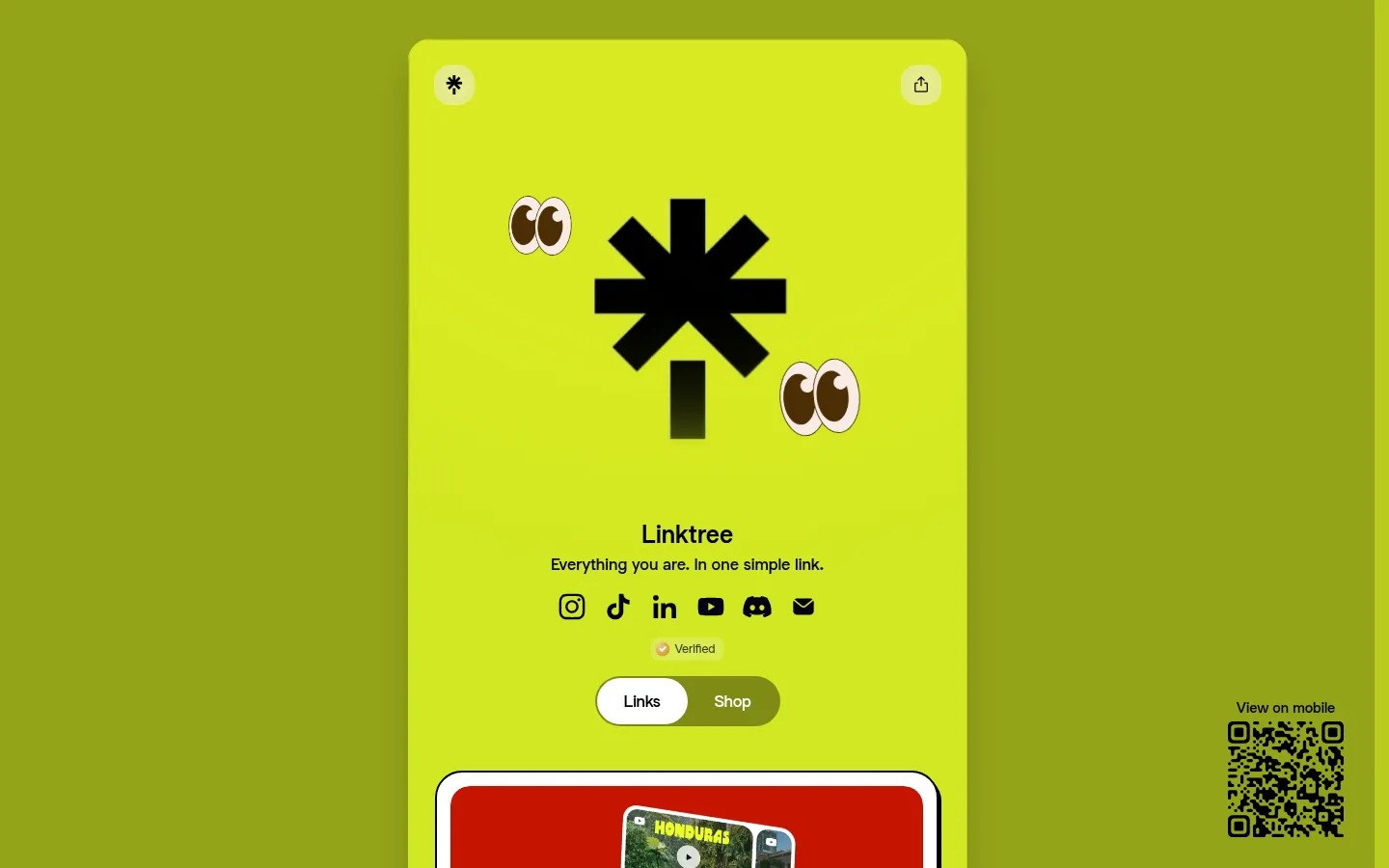
Linktree is a vertical list of links with your photo and name on top. Setup takes minutes, visitors know how it works, and there are paid tools around it for selling, email and scheduling social posts.
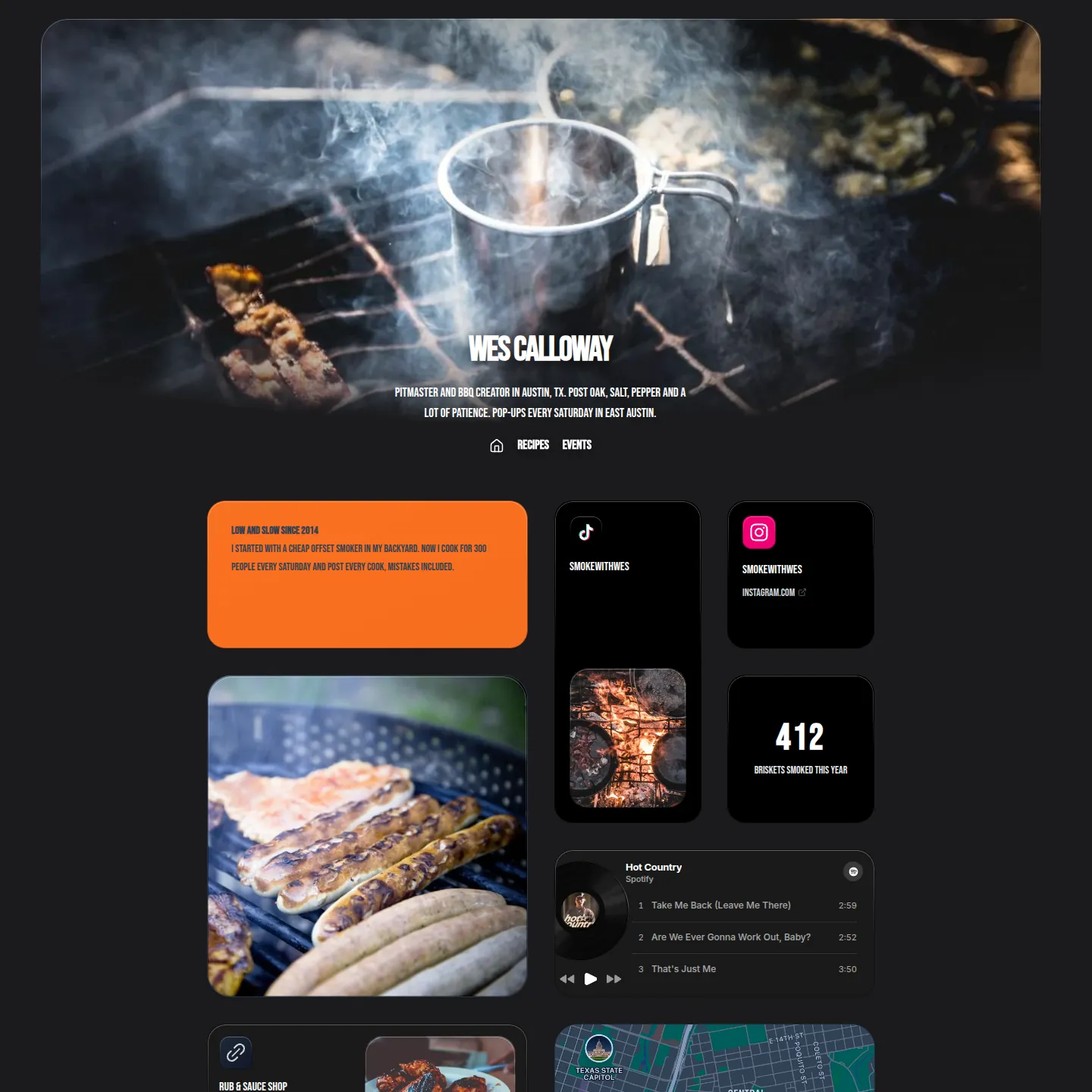
Kasbu is a grid. Each link becomes a card you can make small, wide or large: a Spotify player that plays on the page, a YouTube video, a map, a booking card, a photo. Desktop and mobile have their own layouts, 8 columns and 4 columns.
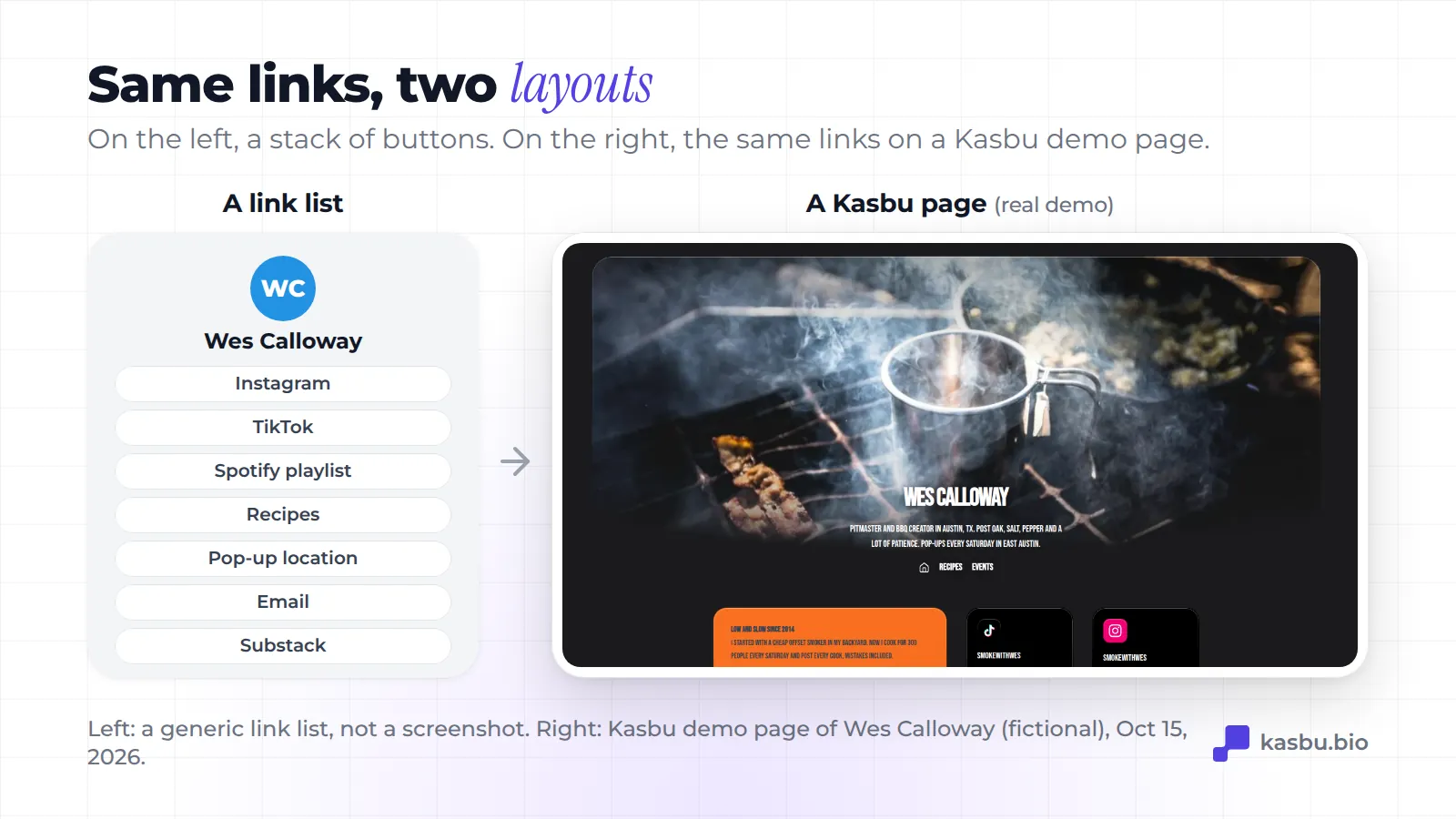
If you want a fast list and nothing else, Linktree does it well. If your links are music, video, work or a place, a grid shows them instead of naming them.
Feature by feature
| Kasbu | Linktree | |
|---|---|---|
| Layout | Grid of cards, separate desktop and mobile layouts | Vertical list |
| Free plan content | 25 cards per profile, 3 pages, 2 profiles | Unlimited basic links |
| Rich cards on free | All 36 card types: players, video, maps, Calendly, GitHub, files and more | Basic links (featured links and more designs on paid plans) |
| Design on free | Every color, background, background photo and the 14 fonts | Custom designs start on Pro |
| Analytics on free | Visit totals for any range, full detail for today | Basic analytics start on Starter |
| Platform branding | Small "Follow on Kasbu" button on free. Pro removes it | Linktree branding until Pro |
| QR code and Wallet pass | Free | Not compared here |
| Selling, email, scheduling | Product cards link to your shop. No checkout | Built-in selling, mailing list integrations and social scheduling on paid plans |
| Own domain | Pro | Not listed on the plan cards we checked |
| Cheapest paid plan | Pro $4.99/month or $54.99/year | Starter $8/month |
Free plan comparison
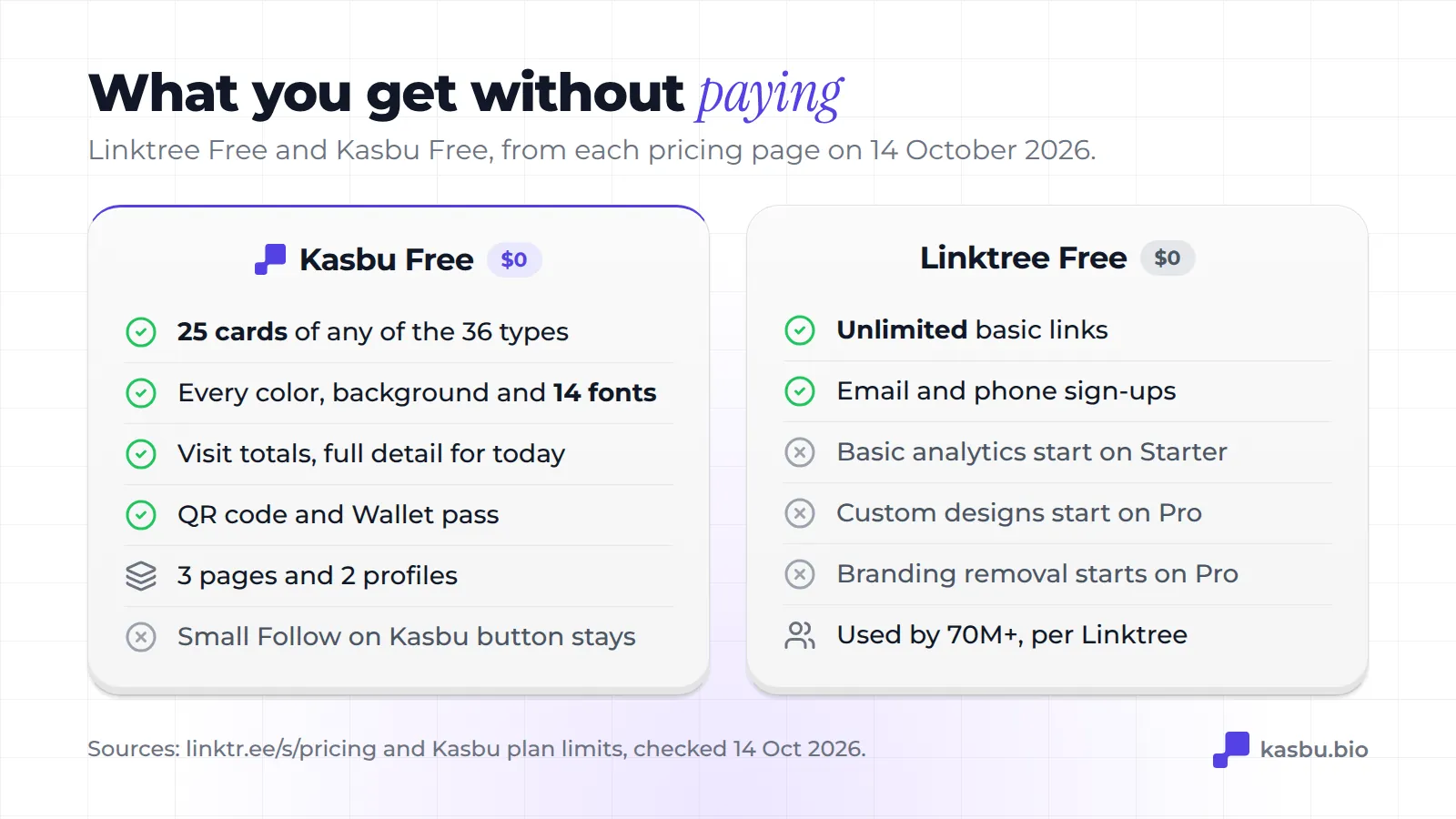
Linktree Free includes unlimited basic links and email and phone sign-ups. Basic analytics start on Starter. Custom designs and removing the Linktree branding start on Pro.
Kasbu Free includes 25 cards per profile (the median Kasbu page uses 4), all 36 card types, every color, background and font, visit totals for any date range with today's visits in full detail, a QR code and a pass for Apple Wallet and Google Wallet. It also includes 3 pages and 2 separate profiles. A small "Follow on Kasbu" button stays on the page until you go Pro.
Where Linktree Free wins: the number of links. If you need forty plain links, Linktree Free holds them and Kasbu Free stops at 25 cards.
Where Kasbu Free wins: what each link can be, how the page looks, and seeing your visits without paying.
Design: the real reason people switch
Linktree pages look like Linktree pages: a photo, a name and a column of rounded buttons. You can change colors and buttons, and the custom designs are on Pro.
Since 13 October 2026, everything about how a Kasbu page looks is free: colors, backgrounds, effects, background photos, the 14 fonts and the 6 card materials (from a flat fill to frosted glass). The grid does the rest. A musician can put a two-column Spotify player at the top with tour dates beside it. A ceramics studio can lead with a large photo of its work, a map and a "book a class" card.
Pricing
| Kasbu | Linktree (USD, billed monthly) | |
|---|---|---|
| Free | 25 cards, all card types, full design | Unlimited basic links |
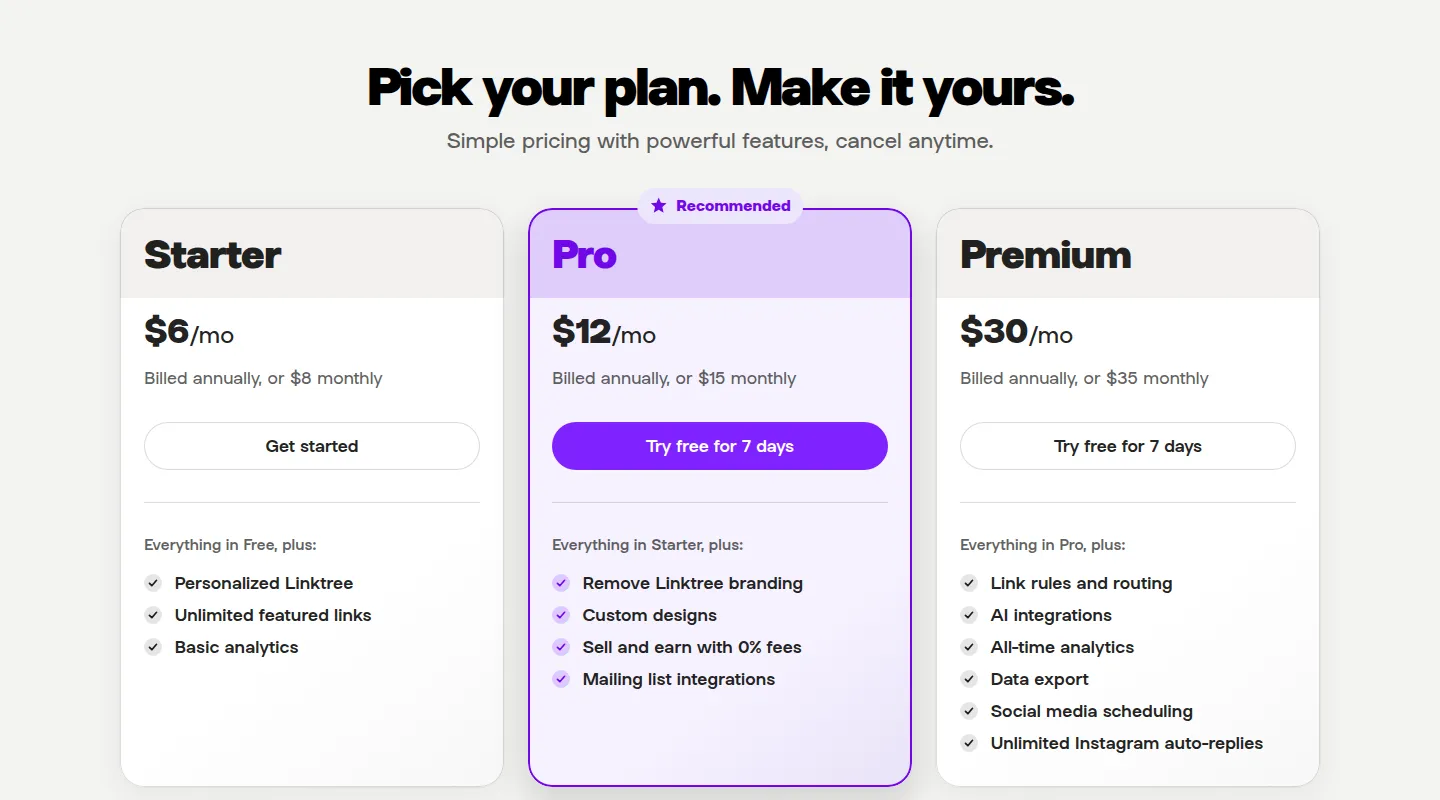
| Entry plan | Pro $4.99/month or $54.99/year | Starter $8 |
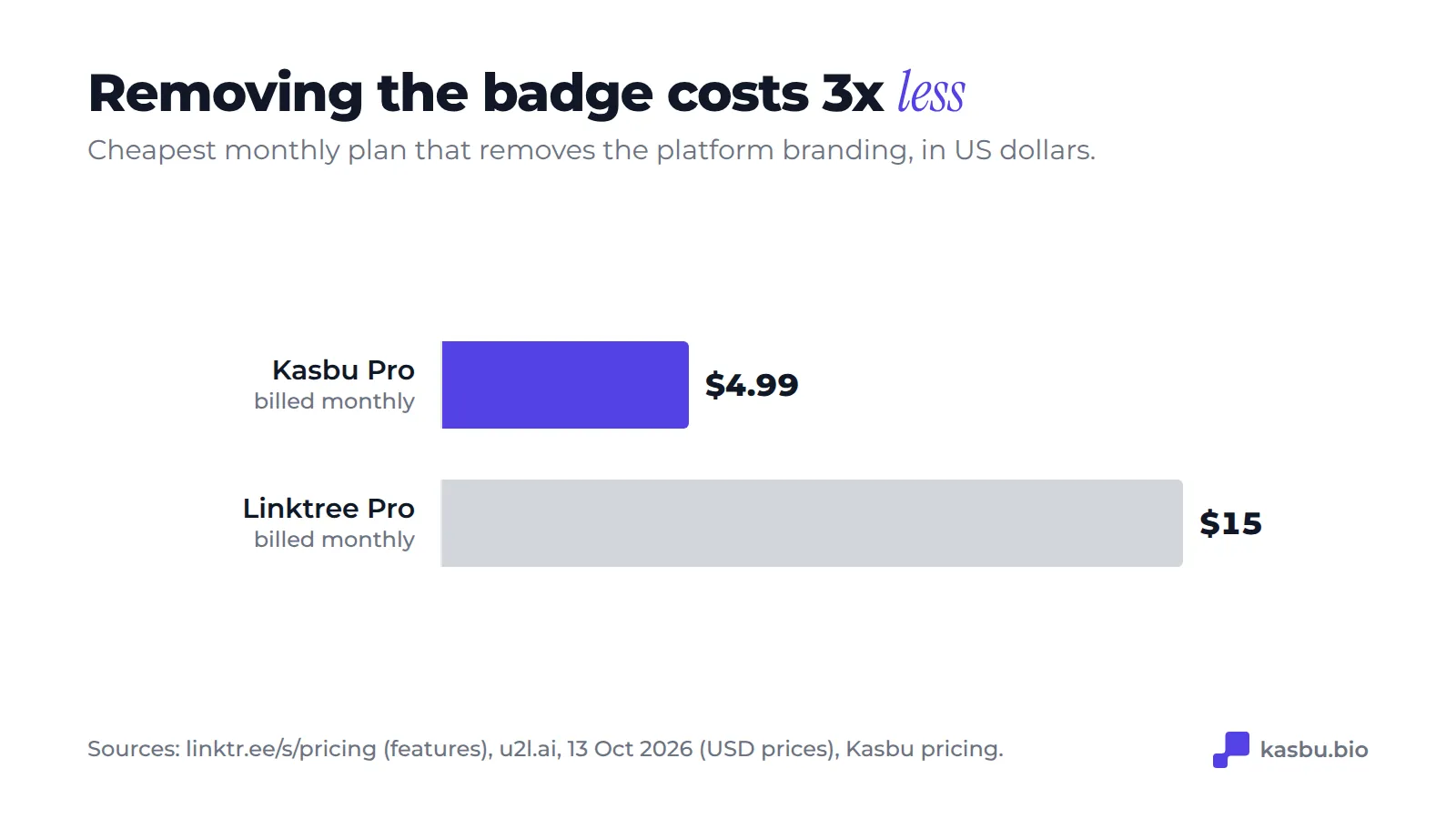
| Removes the branding | Pro $4.99 | Pro $15 |
| Top plan | Pro is the only paid plan | Premium $35 |
Billed yearly, the same breakdown lists Linktree at about $6.40 (Starter), $12 (Pro) and $28 (Premium) a month. In euros, Toolradar listed €6, €13 and €32 a month in October 2026. Linktree's own page shows the price for your country, so check it there before you decide.
Kasbu Pro also adds unlimited cards and pages, up to 10 profiles, 30 GB of storage, your own domain, embedding your grid on another site, full analytics (7, 30 and 90 days, all time, devices, countries and cities), sound on video cards and dark map styles. It comes with a 14-day trial the first time.
Who should use Linktree
- You need a page in five minutes and a list is enough.
- You have many plain links (more than 25) and don't need rich cards.
- You want to sell digital products, collect emails or schedule social posts from the same tool, and you'll pay for it.
- Your audience already knows the Linktree format and you don't want to change what they're used to.
Who should use Kasbu
- Your links are things worth showing: songs, videos, photos, a place, a booking calendar.
- You want a custom look (fonts, backgrounds, colors) without paying for it.
- You want analytics on the free plan.
- You loved Bento's grid. Bento shut down on 13 February 2026, after Linktree bought it in 2023.
- You hand out your page in person: the QR code and Wallet pass are free.
Moving from Linktree to Kasbu
- Create a free Kasbu account and pick your username.
- Open your Linktree in another tab and copy each link.
- Paste each one into Kasbu's card menu. Kasbu recognizes YouTube, Spotify, Apple Music, TikTok, Calendly, WhatsApp, email and more, and suggests the matching card.
- Resize the important cards (a 2x2 player, a wide video) and drag them to the top. Then switch to the mobile view and check the order there.
- Pick a font and background in Design.
- Replace the link in your Instagram, TikTok, YouTube and X bios. Keep your Linktree up until you've changed every bio and QR code.
Frequently asked questions
Is Kasbu better than Linktree?
For a visual page, yes: on the free plan you get all 36 card types, every font and background and visit analytics, none of which Linktree Free includes. Linktree is better if you need more than 25 plain links, or selling and email tools in the same place.
Is Kasbu free?
Yes, with no time limit. 25 cards per profile, 3 pages, 2 profiles, all card types, full design, a QR code and a Wallet pass. No credit card required.
How many people use Linktree?
Linktree's pricing page says "trusted by 70M+" on 14 October 2026. Kasbu is much smaller. Size tells you which tool is safest to recognize, not which one fits your page.
What happened to Bento after Linktree bought it?
Linktree acquired Bento in June 2023. Bento announced its shutdown on 18 December 2025 and closed on 13 February 2026. Today every bento.me address redirects to Linktree's homepage. Our migration guide explains how to rebuild a Bento page on Kasbu.
Sources
Checked on 14 October 2026.
- Linktree plans and features: https://linktr.ee/s/pricing
- Linktree USD prices, u2l.ai, 13 October 2026: https://u2l.ai/blog/linktree-pricing
- Linktree EUR prices, Toolradar, October 2026: https://toolradar.com/tools/linktree/pricing
- Bento acquisition, Tech.eu, 6 June 2023: https://tech.eu/2023/06/06/sequoia-backed-bento-boxed-up-by-linktree
- Bento shutdown notice, Eike Drescher (Bento) on X, 18 December 2025: https://x.com/eikedrescher/status/2001695639806316904
- Kasbu prices and limits: kasbu.bio/pricing and Kasbu plan settings on 14 October 2026. Median cards per page: Kasbu data, July 2026.
More comparisons: Kasbu vs own.page, the load speed test and what Kasbu Pro adds.
Try Kasbu for free. It takes a few minutes and no credit card.