What Is Kasbu? The Grid Link in Bio and Digital Business Card
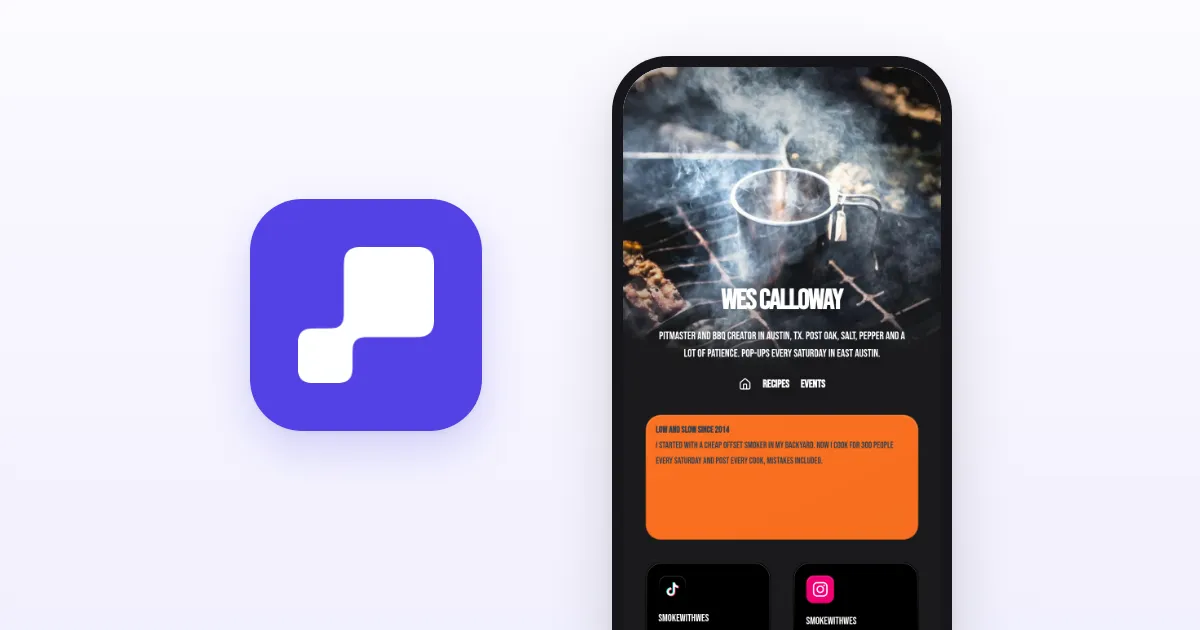
Kasbu is a tool for building a links page and a digital business card as a grid, at kasbu.bio. It has nothing to do with KaBuM, the Brazilian electronics store. Here's what it does, what the free plan includes and what Pro costs.
Published · 6 min read · by Kasbu Team
Tags: Kasbu, Link in Bio, FAQ
Let's start with a mix-up we see a lot, especially in Brazil: Kasbu is not KaBuM.
KaBuM is a Brazilian store that sells electronics and computer parts. Kasbu is a tool for building your own page on the web, with links, photos and contact details. The names sound alike, the companies have nothing to do with each other, and we don't sell hardware or track orders.
If you came here looking for a KaBuM order, a delivery date or a return, the site you want is kabum.com.br.
If you want to know what Kasbu is, read on.
What Kasbu does
Kasbu creates a personal page laid out as a grid, at an address like kasbu.bio/yourname.
In most link in bio tools, the page is a list of buttons stacked one under another. On Kasbu it's built from cards of different sizes that you drag and resize. On a computer the grid has 8 columns; on a phone, 4. Until you arrange the desktop version, people visiting on a computer see the same grid as on mobile. Once you move a card in the desktop view, it gets its own layout, and each version keeps its own order.
There are 36 card types. A few examples:
- Contact: WhatsApp, phone, email and QR code.
- Music and video: Spotify, Apple Music, Deezer, SoundCloud, YouTube, Vimeo, TikTok and Loom, which play right on the page.
- Scheduling and forms: Calendly, Google Calendar, Google Forms and Typeform.
- Business: map, product, file download (a menu, a price list) and WiFi with the network name and password.
- Portfolio: images, Behance, Figma, Canva, Flickr and GitHub.
People call this kind of page three different things, and they all describe the same idea:
- link in bio, when the goal is to send your Instagram or TikTok audience to the right places;
- links page, the most neutral term;
- digital business card, when the goal is to replace the paper card.
What people use it for
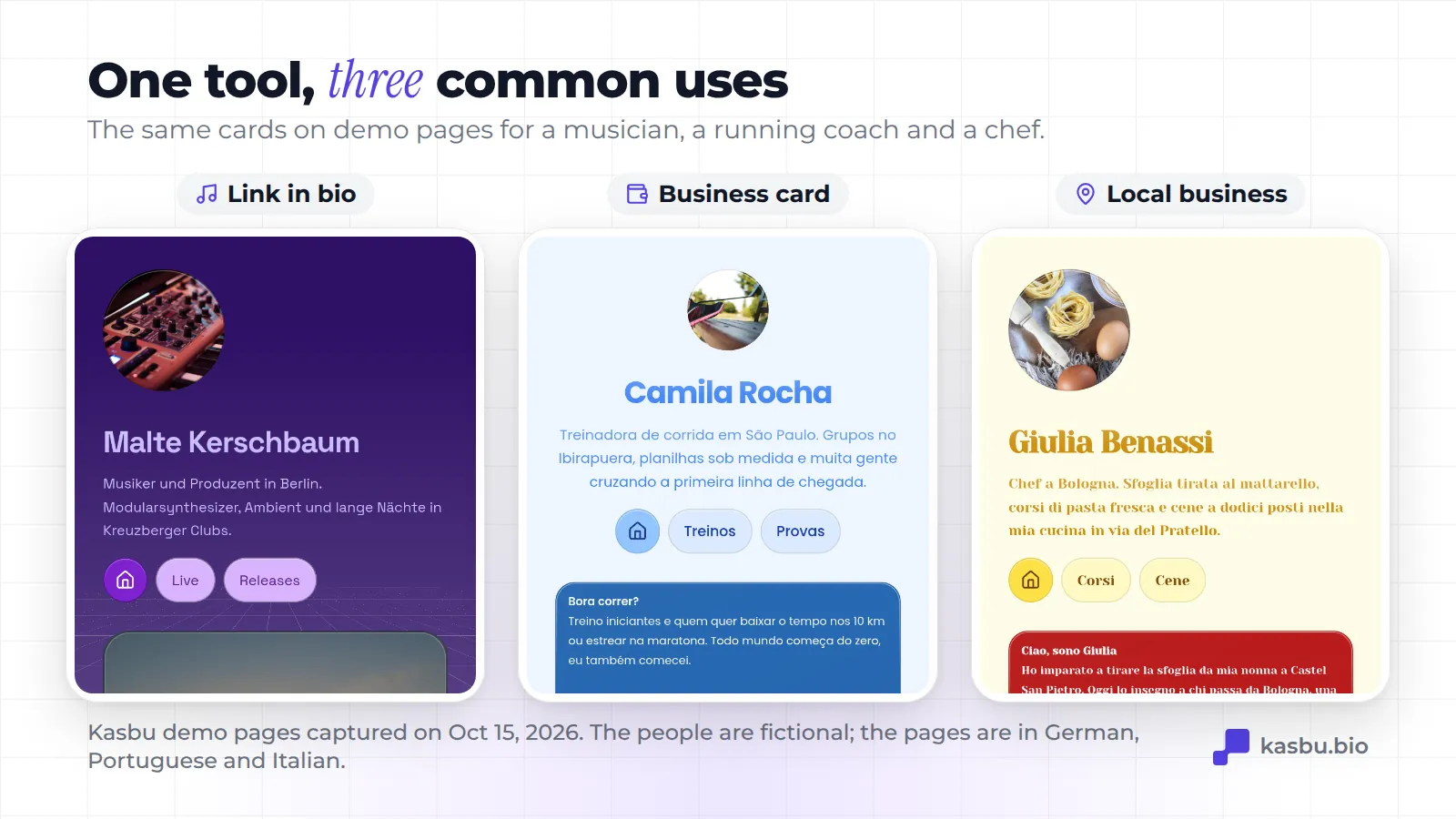
Link in bio. Instagram limits the links on your profile. The page gathers them all at one address. A musician, for example, puts the new single in a Spotify card that plays right there, plus the gig schedule and an email for bookings.
Digital business card. Every page has a QR code and can go into your phone's wallet, in Apple Wallet or Google Wallet. You can print the QR on a paper card, a badge or a shop window. We wrote a full guide on virtual business cards and another one on QR codes for Instagram.
Visual portfolio. Designers, photographers, tattoo artists, architects and musicians use the grid to show their work on the page itself, in big photos, instead of hiding it behind buttons.
Local business page. Map, opening hours, a PDF price list, booking and a WhatsApp button, with the QR stuck on the door or the counter.
What the free plan includes
The free plan doesn't expire and doesn't ask for a credit card. It includes:
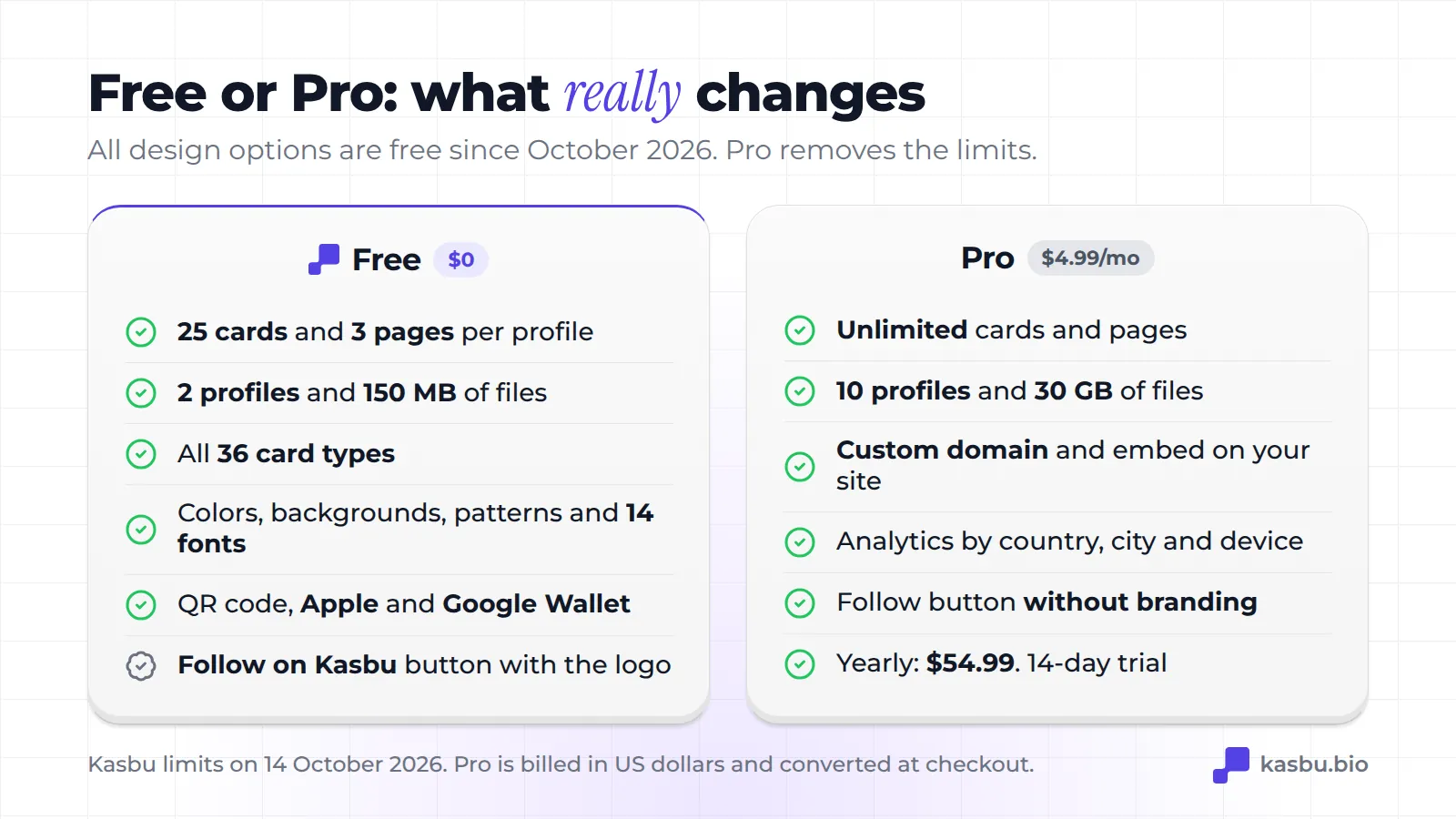
- 25 cards and 3 pages per profile, and up to 2 profiles per account (handy for keeping personal and work apart).
- All 36 card types. None is Pro-only.
- The whole look: colors, backgrounds, patterns, background photo, the 14 fonts and the card materials. Until October 2026 some of this was Pro; since the 13th it's all free.
- QR code and a pass for Apple Wallet and Google Wallet.
- 150 MB for photos, videos and files.
Free plan pages show a small follow button with the Kasbu logo ("Follow on Kasbu"). On Pro, the button carries no branding.
To replace a paper business card or tidy up your Instagram links, the free plan is usually enough. In our July 2026 data, the median was 4 cards per user, far below 25.
What Pro costs
Pro costs $4.99 a month or $54.99 a year. You're charged in US dollars, and checkout shows the amount converted to your currency. If you've never tried Pro, you get a 14-day trial.
What it adds:
- unlimited cards and pages and up to 10 profiles;
- 30 GB of storage;
- a custom domain (
yourname.cominstead ofkasbu.bio/yourname) and the option to embed your grid on your own website; - full analytics: day-by-day visits for any period, with countries, cities and devices;
- the follow button without Kasbu branding, sound on video cards and dark-mode maps.
Current prices are always at kasbu.bio/pricing.
What you can measure
Every account sees the page's total visits for any period and the full breakdown for today. On Pro, the breakdown covers every period, with countries, cities and devices.
It doesn't replace a full analytics tool, but it answers the question that matters when you print a QR code: is this bringing people in or not?
Who Kasbu makes the most sense for
The grid pays off when what you have to show is visual or when the page needs to do more than one thing: show your work, take messages and point to your address, all on the first screen.
Other tools do a better job in two cases:
- You sell courses or ebooks straight from the page. Kasbu has a product card, but it sends people to your shop: there's no built-in checkout or email marketing. Beacons has a store and email sending even on its free plan (with a 9% fee on sales).
- You want lots of simple links for free. Kasbu's free plan goes up to 25 cards per profile. Linktree doesn't limit the number of basic links on its free plan.
We compared the main options in our link in bio platform comparison.
Which languages it works in
The interface is available in 9 languages: English, Portuguese, Spanish, French, German, Italian, Finnish, Japanese and Chinese. What goes on your page is yours: you write in the cards in whatever language you like.
Frequently asked questions
Is Kasbu the same thing as KaBuM? No. KaBuM is a Brazilian electronics store. Kasbu is a links page platform, at kasbu.bio. The two are not related.
Is Kasbu really free? Yes. The free plan doesn't expire and includes all 36 card types, the whole look, QR code and Wallet. It shows a small "Follow on Kasbu" button with the logo. Pro is optional.
Do I need to know how to code? No. You pick a card, paste the link or type the text and drag it where you want. If you paste a YouTube or Spotify link, Kasbu suggests the right card.
Do I need to install an app? No. You can create and edit in the browser, on a computer or a phone, and people visiting your page don't install anything either.
Can I use my own domain? Yes, on Pro. It also protects your links: if you ever switch tools, the address you've been sharing is still yours.
Can I have more than one page? Yes. On the free plan you get 3 pages per profile and 2 profiles. On Pro, unlimited pages and 10 profiles.
Want to see what it looks like in practice? Browse pages other people have made or create yours for free in a few minutes.